
We may earn a commission from links on this page. This doesn't affect our editorial independence — all opinions are our own.
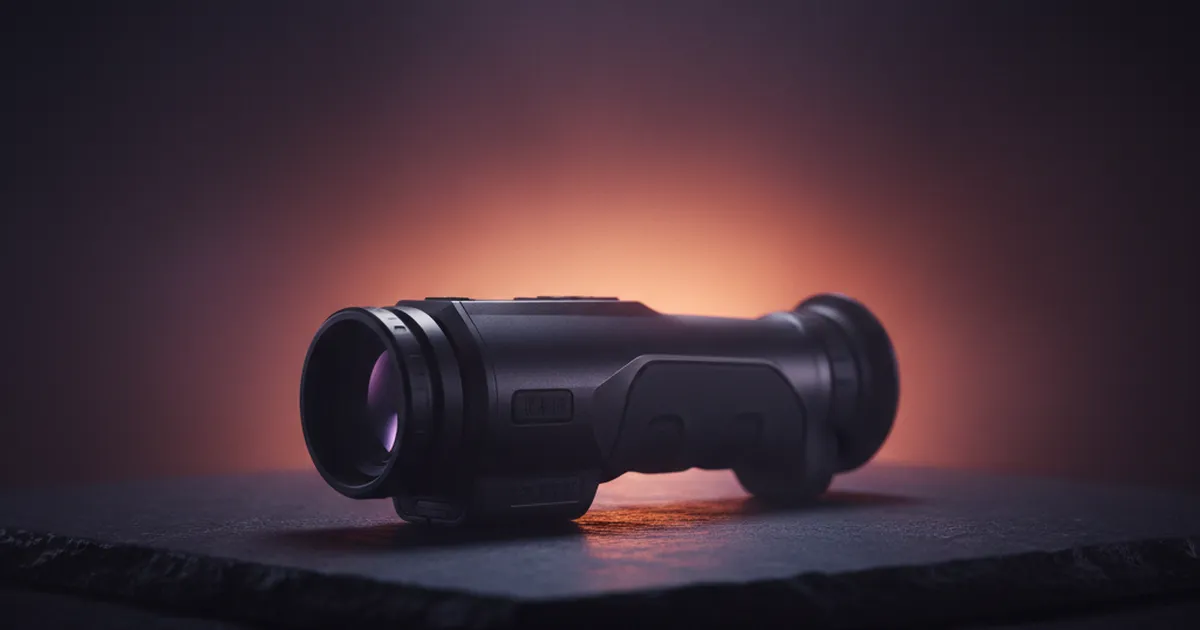
Look through a budget thermal monocular at a coyote 200 yards out and you may see a smeared orange blob that could be a dog, a deer, or a warm rock. That gap — not the spec sheet — is what thermal image clarity is really about. The gap between consumer and professional tiers isn't just about price; it's about whether you can positively identify your target when atmospheric conditions turn against you.
Thermal image clarity, in the consumer-versus-professional sense, is the measurable ability of a thermal device to resolve distinct temperature variations into a sharp, identifiable picture. Three specs dictate it: sensor resolution, NETD sensitivity, and display quality — in that order.
What is Thermal Image Clarity?
Thermal image clarity is your optic's ability to resolve distinct temperature differences into a sharp, identifiable picture — one where you can tell a coyote from a fence post, or a human shoulder from a tree trunk. It is the gap between "something is out there" and "I know exactly what that is."

Key Takeaways
- Resolution baseline: A 640x480 sensor is the widely accepted starting point for field-usable image detail in thermal optics.
- Sensitivity matters more than most buyers realize: Sub-40mK NETD thermal sensitivity cuts through fog, rain, and high humidity so you see a defined target shape rather than a washed-out heat blob.
- Consumer vs. professional gap: The clearest difference between price tiers shows up in low-contrast conditions, not ideal clear-night scenarios.
- Marketing language obscures real specs: "HD thermal" means nothing without knowing the sensor resolution and NETD rating behind it.
Two specs drive clarity more than anything else: sensor resolution and thermal sensitivity. Resolution — measured in pixels, with 640x480 being the consensus baseline for serious use — determines how much spatial detail the sensor can capture. More pixels means finer edges, readable body posture, and gear identification at distance.
Thermal sensitivity, rated as NETD (Noise Equivalent Temperature Difference), measures how small a temperature difference the sensor can detect. Sub-40mK performance is where things get genuinely useful. At that level, the optic cuts through atmospheric attenuation like fog, rain, and high humidity so you can positively identify a target rather than just seeing a washed-out heat blob.
Strip away the marketing language and clarity comes down to this: can you make a positive identification at your intended engagement distance, in the actual conditions you hunt or work in? That question is the only one worth asking.
Understanding the baseline specs is only half the battle; the real test of an optic happens when the weather turns sour.
High resolution vs. humidity: where pixels lose to moisture
Resolution is a pixel count. Atmospheric attenuation is physics. Those two things are not in the same fight — and humidity wins every time if your sensor isn't sensitive enough to compensate.
Here's the actual mechanism. Water vapor and fog droplets scatter and absorb infrared radiation in the 8–14 micron long-wave band. The thermal signal from your target — say, a coyote at 200 yards in a Wyoming fog bank — gets partially absorbed before it ever reaches your objective lens. Your 640×480 detector receives a weaker signal, and if the detector can't resolve tiny temperature differences in that degraded signal, the image turns into a gray smear regardless of pixel count.
This is where NETD — Noise Equivalent Temperature Difference — becomes the number that actually matters. NETD measures the smallest temperature difference a sensor can distinguish from background noise. A consumer unit rated at 60–80mK struggles to separate a warm target from a humid background when atmospheric attenuation has already compressed the apparent temperature contrast. A professional unit with sub-40mK NETD is pulling signal out of conditions where the cheaper sensor has essentially gone blind. A lower NETD rating means your scope doesn't go blind the second the humidity spikes.
The physics of atmospheric attenuation explains why sensor sensitivity — not pixel density — is the limiting factor for target identification at distance: you can stack pixels all day, but if the temperature delta reaching your sensor is compressed to near-noise levels, those pixels have nothing useful to resolve.
Run a budget 640-resolution thermal in early-morning Wyoming humidity and it can be genuinely hard to positively identify a deer-sized target at 150 yards — the image looks like a warm blob. A professional unit with a tighter NETD rating on the same target, same morning, same range, gives a clean shoulder and head outline.
The takeaway is simple: when you're buying for wet or humid conditions, lead with NETD spec. Resolution is the headline number on the box. NETD is the number that keeps you from shooting at a blur.
Even if your sensor cuts through the fog perfectly, that data is useless if the internal screen can't render it.
Internal displays are the hidden bottleneck
The bottleneck is the display, full stop. You can drop serious money on a thermal sensor with excellent resolution and sensitivity, then watch that investment get strangled by a cheap LCOS microdisplay that can't render what the sensor actually captured. The sensor feeds data; the display is what your eye receives. If those two aren't matched, you're paying for capability you'll never see.
LCOS (Liquid Crystal on Silicon) panels are the standard in budget and mid-tier consumer thermals. They're inexpensive to manufacture and adequate for basic heat detection. The problem is pixel fill factor and contrast ratio. LCOS panels leave visible gaps between subpixels, which produces the "screen door effect" — that faint grid overlay that makes edges look soft and blurry even when the underlying thermal data is sharp.
OLED microdisplays eliminate that gap. Each pixel is self-emitting, which means higher contrast, faster pixel response, and no grid artifact. A 1024x768 OLED internal display ensures the high-resolution data captured by the thermal sensor is actually delivered to your eye with crisp edges — preventing exactly the screen door problem that plagues entry-level units. At that resolution, a coyote at 200 yards looks like a coyote, not a warm smear with legs.
Shooters often struggle to identify targets through consumer thermals that have perfectly serviceable sensors underneath. The display was throwing away the data before it ever reached the eye. That's a frustrating and avoidable problem.
| Spec | Consumer (LCOS) | Professional (OLED) |
|---|---|---|
| Display Technology | LCOS | OLED Microdisplay |
| Typical Resolution | 640x480 or lower | 1024x768 |
| Screen Door Effect | Common | Absent |
| Contrast Ratio | Moderate | High (self-emitting pixels) |
| Edge Clarity | Soft, artifact-prone | Sharp, true to sensor data |
The takeaway is simple: when comparing thermals, ask what the display technology is — not just what the sensor resolution is. A great sensor feeding a weak display is money left on the table every time you glass a dark field.
Once the internal display is sorted, the next major factor impacting clarity is how the thermal integrates with your rifle's existing glass.
How Do Clip-On Systems Compare to Dedicated Thermal Scopes?
Clip-on thermal systems introduce an extra optical element in front of your existing glass — and that trade-off shapes everything about image clarity. A dedicated thermal scope sends the sensor image through one purpose-built optical path. A clip-on sends it through that path plus your daytime optic, which means two sets of lenses, two potential alignment errors, and one more thing to go wrong at 2 a.m. when the coyotes are moving.
The payoff, though, is real: clip-ons allow you to maintain your daytime glass and zero while adding professional-grade thermal capabilities at night. You don't re-zero. You don't swap rifles. That matters when you're hunting whitetail in the morning and running a night predator call after dark on the same gun.
Here's how the optical alignment process actually works — and where budget clip-ons lose the fight:
- Sensor-to-eyepiece alignment: The clip-on's internal display must project its image along the exact optical axis of your host scope. Any angular offset introduces parallax error that worsens at distance. Professional clip-ons machine their housings to tight tolerances. Consumer units often don't, and you'll see it as a blurry halo around heat signatures past 150 yards.
- Magnification stacking: Your host scope's magnification multiplies the clip-on's image. Run a 6x scope behind a clip-on and you're also magnifying every pixel artifact and sensor noise. Dedicated scopes avoid this entirely — their magnification is designed around the sensor from the start.
- Focus plane management: A clip-on must focus its display at a distance your host scope can then re-focus on. Mismatched diopter settings between the two systems produce soft edges and eye strain. Dedicated scopes have one focus system, period.
- Zero retention under recoil: Every shot cycles stress through the clip-on mount. Cheap mounting interfaces shift. A dedicated scope bolted directly to the rail has one fewer mechanical joint to fail.
A well-built clip-on earns its keep by addressing mount rigidity and display alignment — the two areas where budget clip-ons most often fall short.
Accufire's own thermal line, the INCENDIS series, sits in this clip-on category and shows the tier gap directly: the INCENDIS PRO pairs a 640×512 (12 µm) core with a 1600×1200 OLED display and a roughly 1,000-yard identification range, while the more affordable base INCENDIS runs a 384×288 (17 µm) sensor on a 1024×768 OLED. The INCENDIS thermals aren't carried on the optics storefront, so check current availability with Accufire before buying.
Across tactical clip-on reviews, the consistent theme is that optical alignment quality separates functional clip-ons from frustrating ones far more than raw sensor resolution does. A well-aligned clip-on behind quality glass can outperform a poorly assembled dedicated scope at the same price tier.
A dedicated thermal makes sense when the budget allows and the mission is single-purpose. For a hunter or instructor who wants one rifle to do two jobs, a well-built clip-on with tight mount tolerances is a genuinely practical answer, provided you understand the optical stacking penalty you're accepting.
Optical alignment matters, but digital processing power is what keeps that image fluid when your target starts moving.
The frame-rate gap that kills cheap thermals mid-track
Cheap thermals freeze mid-track because their processors can't run Non-Uniformity Correction fast enough to keep up with a moving scene. That's the short answer.
Every thermal sensor has pixels that drift in sensitivity over time and temperature. NUC algorithms constantly recalibrate those pixels so the image stays clean and consistent. Budget units run NUC corrections on a fixed timer — typically every few seconds — and while that correction fires, the image locks up. You're staring at a frozen frame while a coyote or a target is still moving.
A shooter can lose track of a moving target entirely during one of those freeze cycles. It's not a minor annoyance. At 50 yards in the dark, a two-second freeze is enough to lose a threat entirely.
Professional-grade thermals run advanced NUC algorithms continuously in the background, tied to actual pixel drift data rather than a countdown clock. The result is a smooth, clear image during active target tracking without the constant, jarring screen freezes that plague cheaper consumer units.
Refresh rate compounds the problem. Consumer thermals commonly run at 30 Hz or below — some budget units drop to 9 Hz, which is barely a slideshow. Professional units typically hold 60 Hz, which keeps motion fluid even when the NUC is working hard.
The freeze problem is a processing budget issue. You get what the chip can handle.
Conclusion: Making the Professional Upgrade
The physical specs settle this debate cleanly. Professional thermal optics deliver sharper imagery because they combine higher detector resolution, tighter pixel pitch, and better signal processing — the consumer tier cuts corners on all three to hit a price point. That gap is measurable in the field, not just on a spec sheet.
If your use case is casual backyard observation, a consumer unit gets the job done. But for serious applications, you need to look beyond the marketing: prioritize detector resolution and NETD over headline pixel counts, and confirm the display technology and refresh rate can keep up with what the sensor captures. Those three specs — not the "HD thermal" sticker — decide whether you make a confident identification in low-contrast conditions.
A shooter can spend long seconds squinting at a consumer display trying to confirm a target that a professional-grade unit would have resolved instantly. That hesitation has consequences, whether you're hunting or running a low-light defensive drill. Buy the best sensor resolution and NETD rating your budget allows. The upgrade pays for itself the first time you make a clean, confident identification instead of a guess.
First published April 23, 2026
Why Trust This Guide
Scope & Safe guides are written and reviewed by Marcus Reed and the Scope & Safe editorial team. Our recommendations are built on manufacturer specifications, published third-party data, and recognized testing standards — such as UL and ETL fire ratings — rather than manufacturer marketing, and every price and spec is verified against the seller's live product listing before we publish. We disclose our material connection to the brands we cover, including the Accufire and TactiBeaver stores — see our affiliate disclosure.
Field footage worth watching
How Much Does Thermal Resolution Matter? — 4MR Ranch
Phone can work as a scope — Polenar Tactical
Frequently Asked Questions About Thermal Optics
The most common technical questions about thermal optics cluster around resolution specs, refresh rates, sensor size, and why a $500 unit looks nothing like a $3,000 unit even when the marketing copy sounds identical. Here are straight answers.
What resolution difference actually separates consumer and professional thermal optics?
Consumer units typically run 160×120 or 256×192 sensors. Professional-grade starts at 384×288 and steps up to 640×480 or higher. That gap is not minor — at 200 yards, a 160×120 sensor gives you a heat blob where a 640×480 gives you a readable silhouette with visible limb separation. Resolution is the single biggest driver of identification-range capability. Everything else is secondary.
Does refresh rate matter for image clarity when tracking moving targets?
Yes, and it matters more than most buyers expect. Consumer thermals often run 9 Hz refresh rates — legal in some export markets, terrible for tracking a coyote at a trot. Professional units run 30 Hz or 60 Hz. At 9 Hz, a moving target smears across the display — a walking deer at 150 yards can be lost entirely on a 9 Hz unit. At 30 Hz, that same target stays sharp through the movement.
What is NETD and why does it affect image clarity in low-contrast conditions?
NETD stands for Noise Equivalent Temperature Difference, measured in millikelvin (mK). Lower numbers mean the sensor detects smaller temperature differences. Consumer units often land at 50–80 mK. Professional sensors push below 25 mK. In practical terms: on a cool overcast morning when a deer's body temperature barely stands out from the ground, a high-NETD sensor shows mush. A low-NETD sensor shows a clean, defined animal. When comparing units, treat NETD as the spec that separates a usable low-light image from a guess.
How does pixel pitch affect the image quality you see through a thermal scope?
Pixel pitch is the physical size of each sensor pixel, typically 12–17 microns in modern units. Smaller pitch means more pixels packed into the same sensor area, which generally improves detail at range. However, smaller pixels also collect less thermal energy per pixel, which can hurt sensitivity. Professional units balance tight pitch with low NETD. Consumer units often use larger pitch to compensate for cheaper sensor materials — you get sensitivity but lose fine detail.
Does digital zoom on a consumer thermal actually degrade image clarity?
Every time. Digital zoom is pixel interpolation — the unit is guessing what detail should exist between existing pixels. On a 256×192 sensor, 4× digital zoom produces a blocky, nearly useless image past 150 yards. Professional units with optical magnification or higher base resolution hold detail through zoom because there are real pixels to work with. Budget gear is generally good enough for point-and-click at close range — but that ceiling hits fast once you add digital zoom on a thermal sensor.
At what point should a hunter or shooter upgrade from consumer to professional thermal?
When identification range matters more than detection range. Consumer thermals detect heat at impressive distances. Identifying whether that heat signature is a coyote, a dog, or a person at 300 yards requires professional-grade resolution and NETD. Put simply: if your use case involves making a shot decision rather than just knowing something warm is out there, the professional tier is the right tier. Budget units are fine for close-range hog hunting. Anything requiring positive identification at distance demands the better sensor.